Discord
Connecting an integration will create a configuration specific to your Discord server. You can then define rules to control which events trigger notifications and which Discord channel they’re sent to.
Link your server
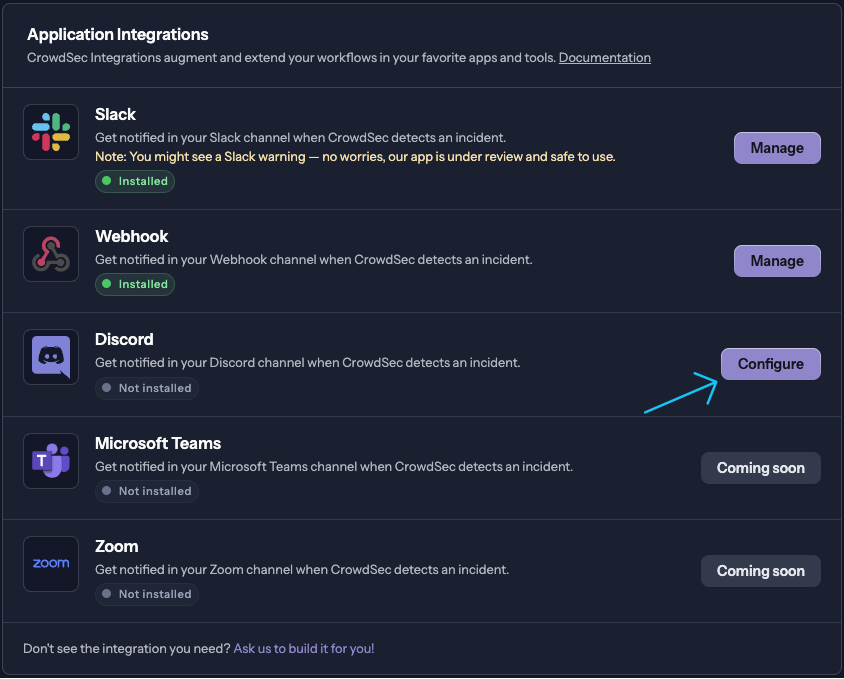
- In the CrowdSec Console, navigate to Settings > Integrations and then select Configure in the Discord row.
-
Select the Discord server you want to link to your CrowdSec Console using the dropdown menu at the top right of the page. Then select Allow. Repeat the process if you want to link more servers.
-
You should be redirected to the Discord integration page. You can now create a notification rule by navigating to the Rules tab.
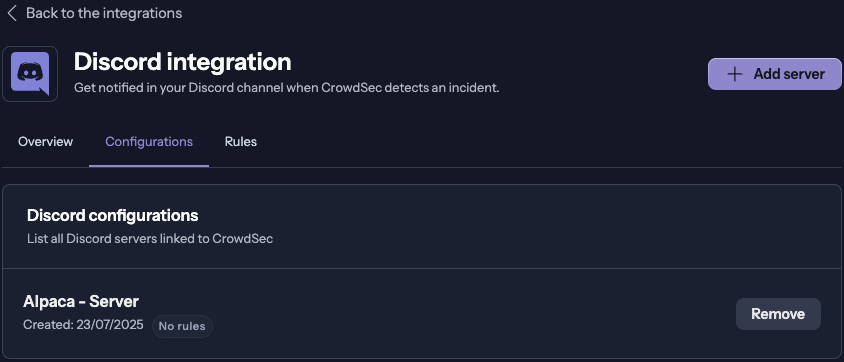
Your Discord integration is now linked to your CrowdSec Console.
Create a notification rule
-
In the CrowdSec Console, navigate to Settings > Integrations > Discord go to the Rules tab and click on Add rule.
-
Follow the steps in the Create a notification rule documentation to create your rule.