TheHive/Cortex Plugin
The CrowdSec Cortex Analyzer allows you to obtain a detailed report from CrowdSec's CTI smoke database.
Here is the source code of the analyzer and report template:
Installation
The CrowdSec analyzer is available in Cortex analyzers collection from version 3.2.0 and will be ready to use within your observables of type IP.
To add the CrowdSec analyzer to a case's observable you can refer to the official documentation.
To complete/customize the template you can refer to this how to.
Usage
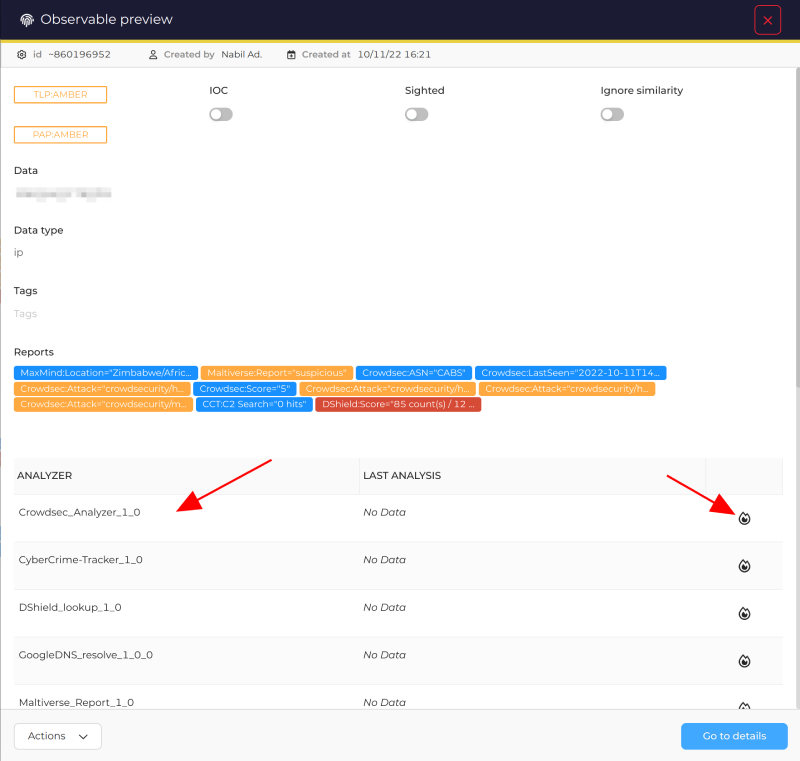
- For a case's observable of type IP click on preview

- Run the CrowdSec analyzer
- It should appear in the list
- Click on the analyze (fire) icon
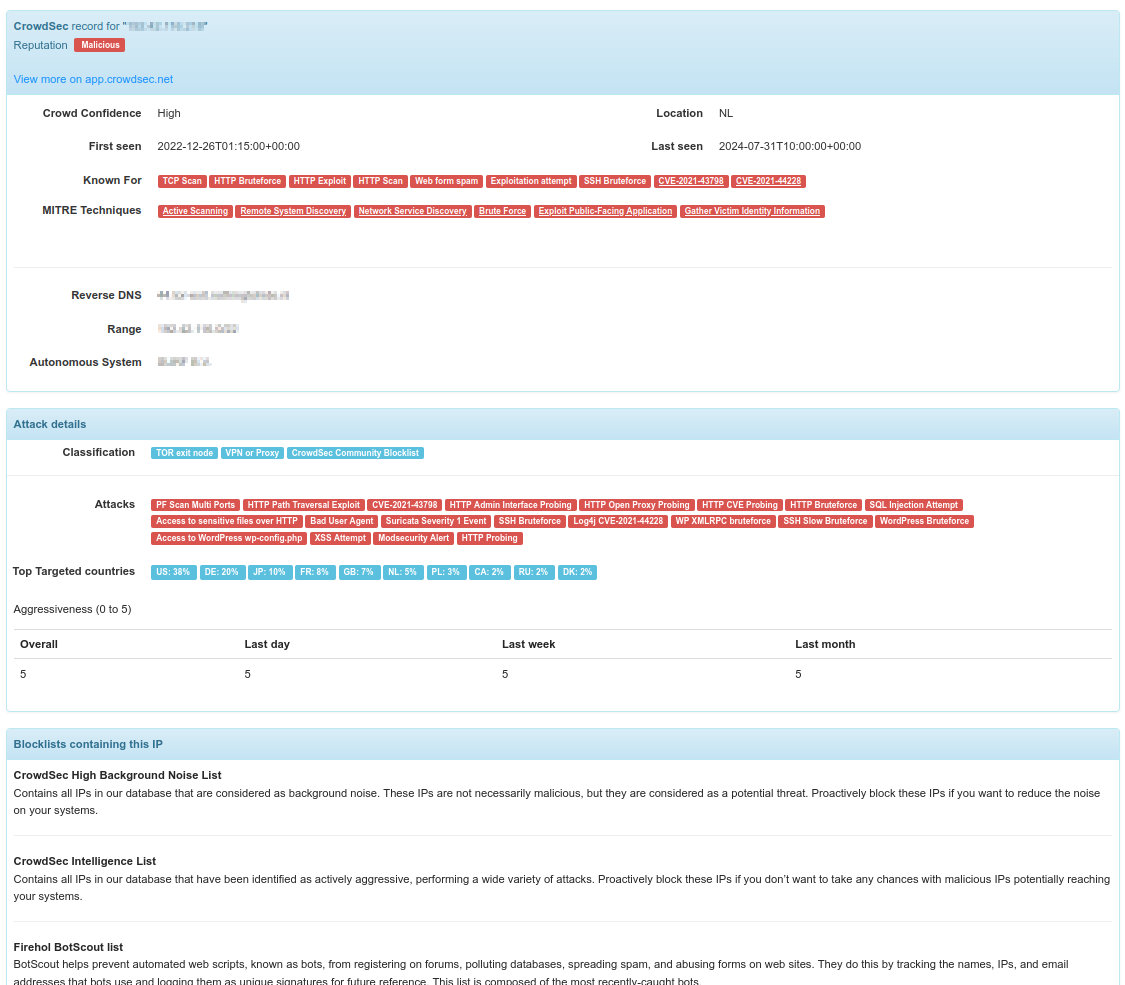
- Check the report
- Once the analysis is complete, click on the date to see the full report.
- Note that if you run the analyzer again, multiple reports for each date will be available.

Configuration
The short report displays a list of taxonomy labels (reputation, behaviors, mitre techniques, cves, etc.):

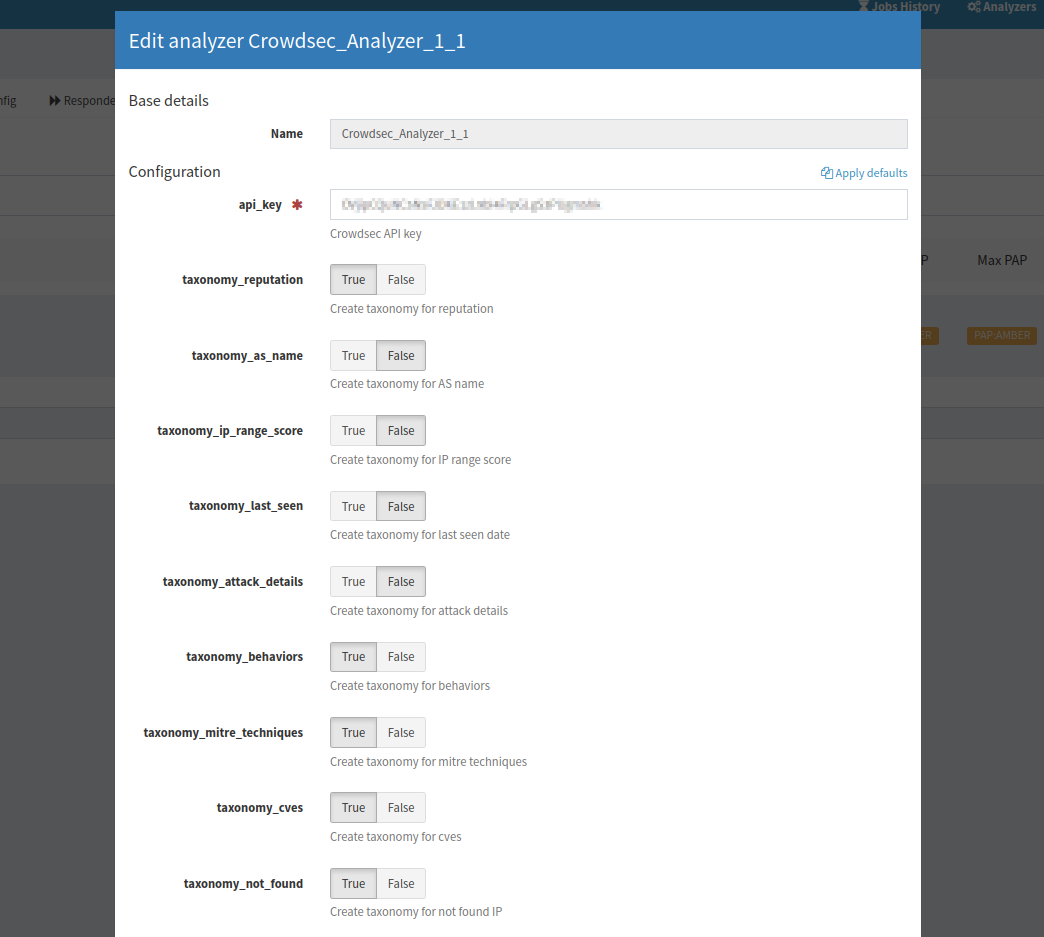
Using the Cortex UI, you can configure the analyzer to enable/disable each taxonomy individually: