Billing & Plans FAQ
How do I retrieve my invoices?
To access invoices, you need to be an organization owner
Login to your account and ensure you have selected the correct organization in the organization switcher on the top left corner of the interface. Go to the Settings page and click on the Billing and plans entry menu.
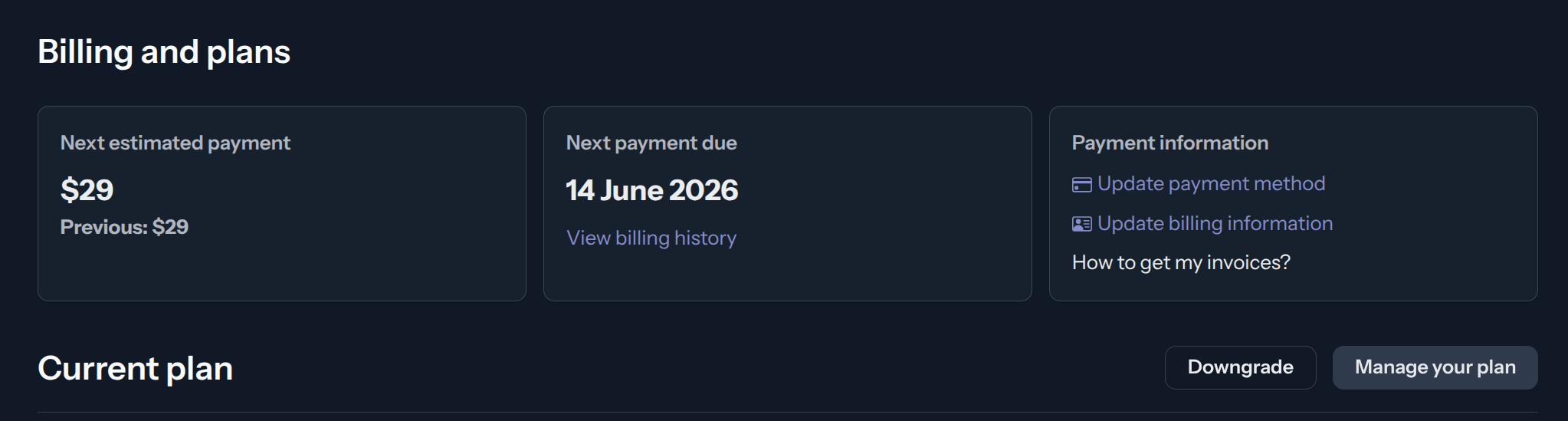
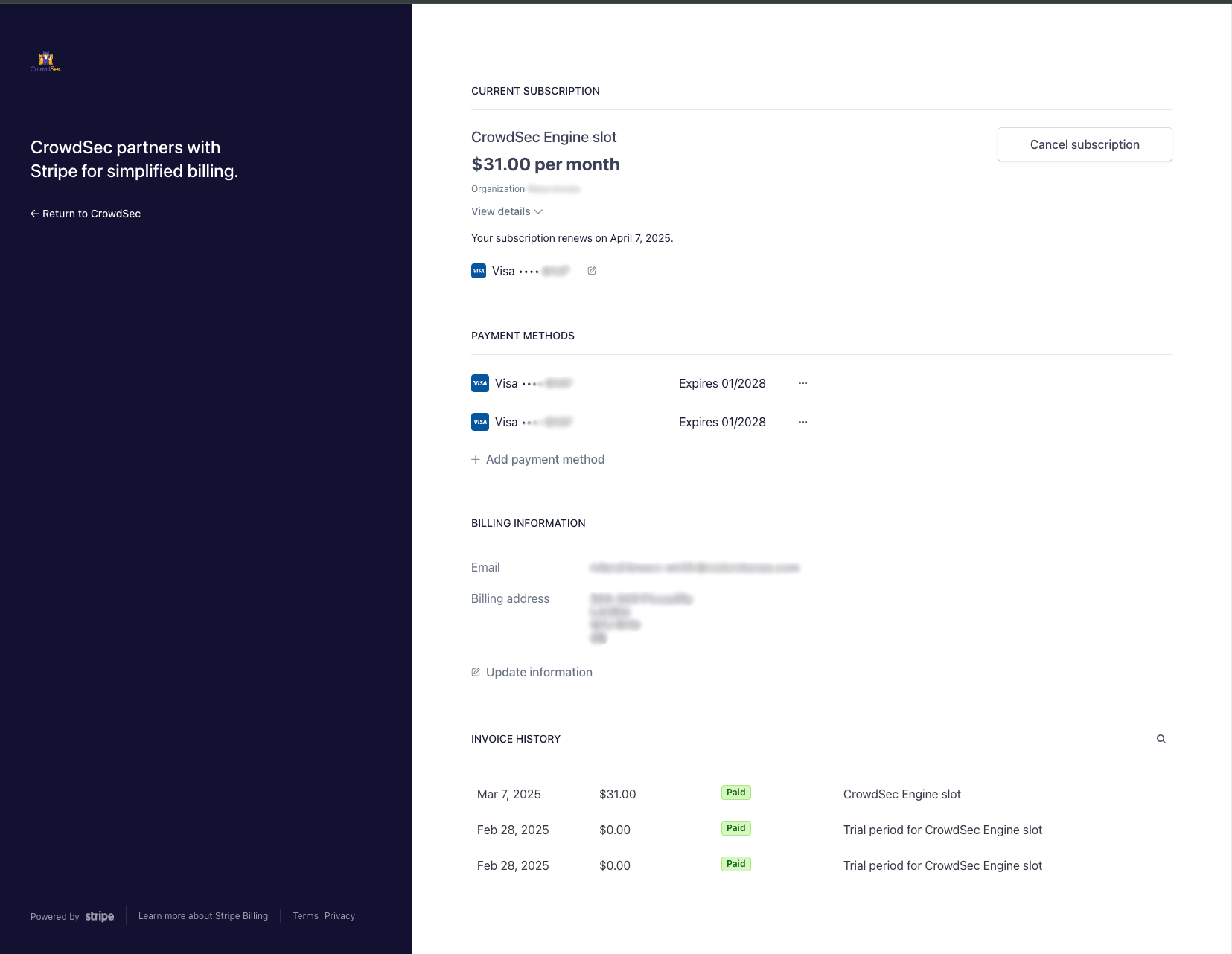
Click on View billing history — this will redirect you to Stripe's billing portal where you can view and download all invoices associated with your organization.
How do I update my company information?
Go to Settings > Billing and plans and click on Update billing information. This will redirect you to Stripe's billing portal where you can update your company name, address, and other billing details.
How do I add or update my tax ID?
Tax IDs are managed alongside your billing information. Go to Settings > Billing and plans and click on Update billing information. In Stripe's billing portal, you can add or update your tax ID under the billing details section.
How do I update my payment method?
Go to Settings > Billing and plans and click on Update payment method. This will redirect you to Stripe's payment portal where you can add or replace your credit card or other payment method.
How do I receive invoices at a different email address?
You can configure a dedicated invoicing email address — separate from your account email — in the notification settings.
Go to Settings > Notifications. Under the Add recipients for your invoicing section, add the email address(es) that should receive invoices. You can add multiple recipients by separating their email addresses with a semicolon ;.
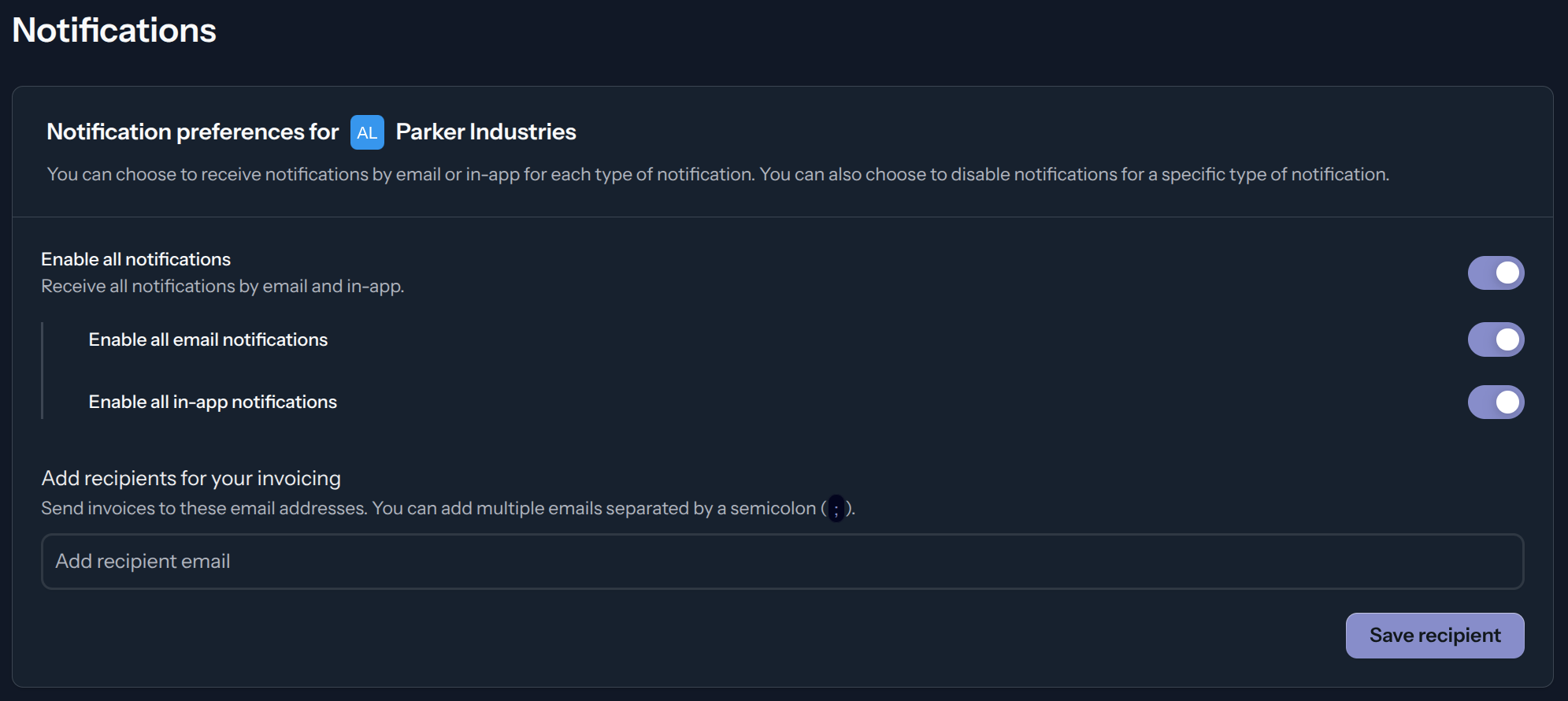
On the same page you can also toggle invoice email notifications on or off in the Alerts > Invoice available for download option
